How to Use Tronscan: Check Wallets, Transactions, Energy and Approvals (2026 Guide)
By TRX Economy team · Published: · 2 min read
Short answer
Tronscan is the TRON blockchain explorer at tronscan.org. Paste a wallet address to see balances and transfers, or a transaction hash to see its status, fee and energy used. It is read-only: you never need a seed phrase to view data, and you only connect a wallet to manage things like approvals.
Sooner or later someone tells you to “check it on Tronscan”. Here is how to use tronscan without any technical background.
Short answer: Tronscan is a TRON blockchain explorer, not a wallet
What is Tronscan? It is a public tronscan explorer for the TRON blockchain, so there is no tronscan wallet to log in to. Everything that happens on TRON is listed there: addresses, transfers, tokens and smart contracts.
Look up a wallet: balance, tokens, history
Paste a tronscan address (it starts with T) into the search box. You will see:
- Balance of TRX and tokens
- Transfers, split into TRX and TRC20 tabs
- Resources: energy and bandwidth available
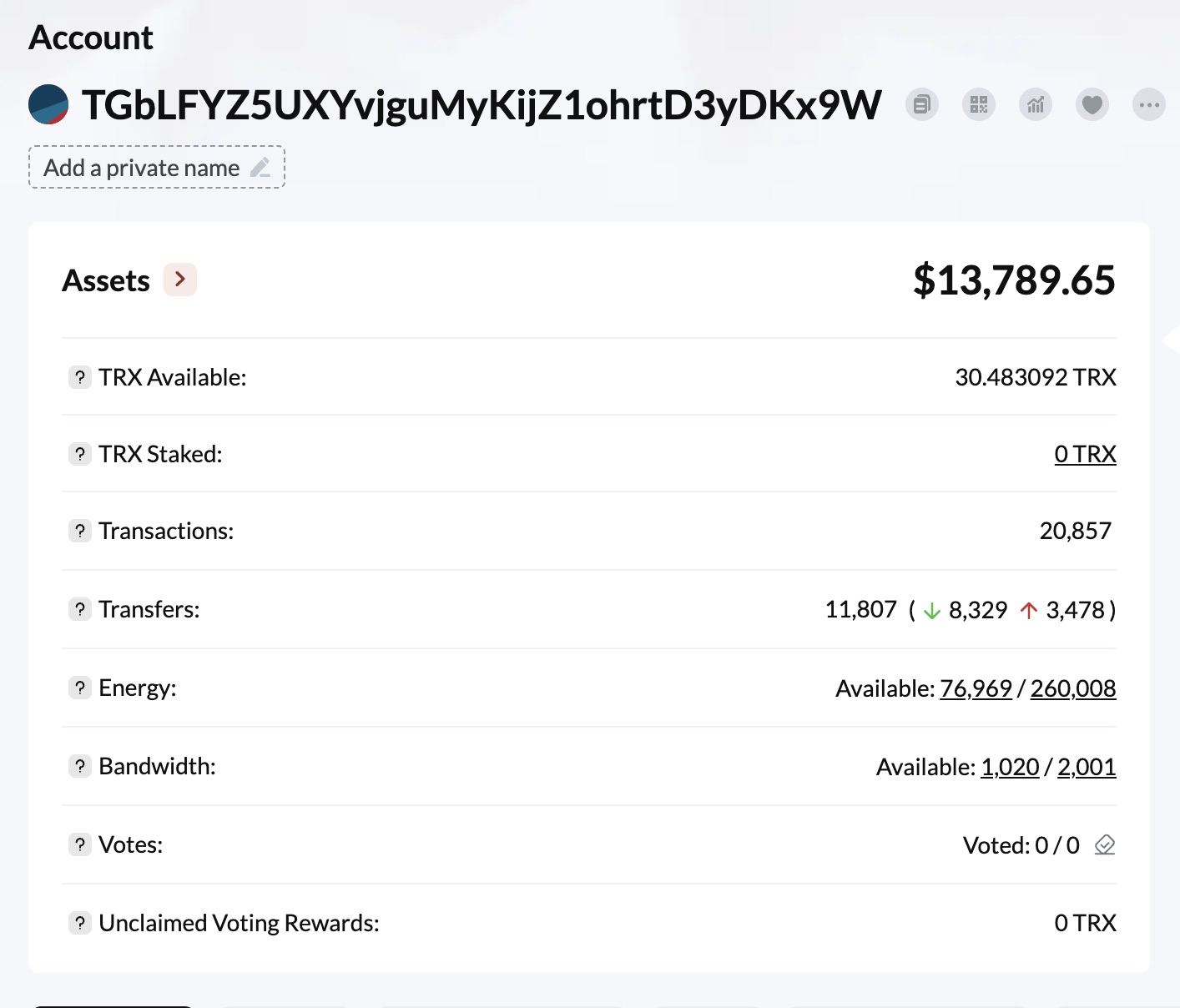
This is useful before you pay someone. No USDT on the address means your transfer needs double energy. Our tron energy calculator checks this faster.
Read a transaction: status, energy used, TRX burned
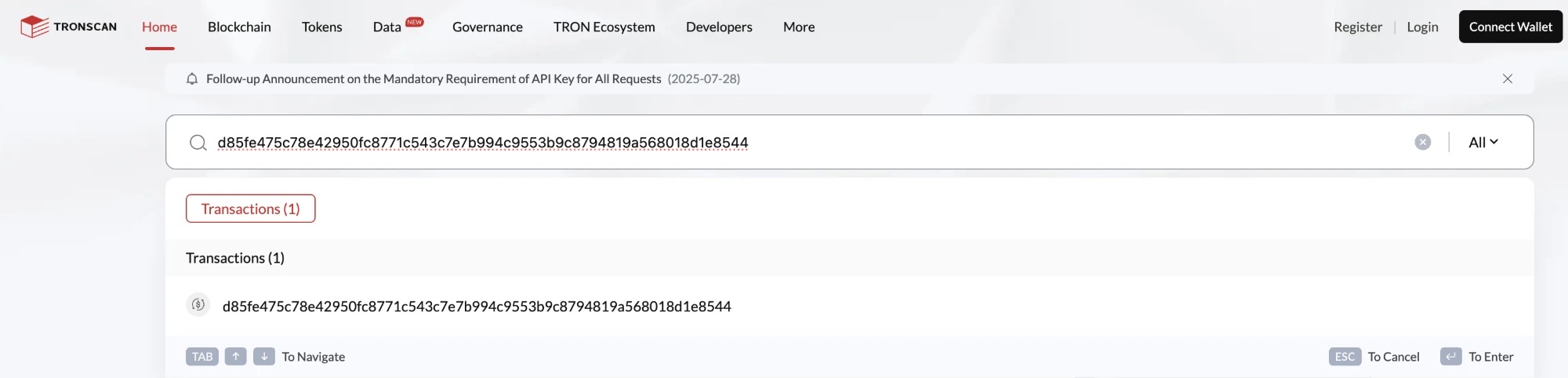
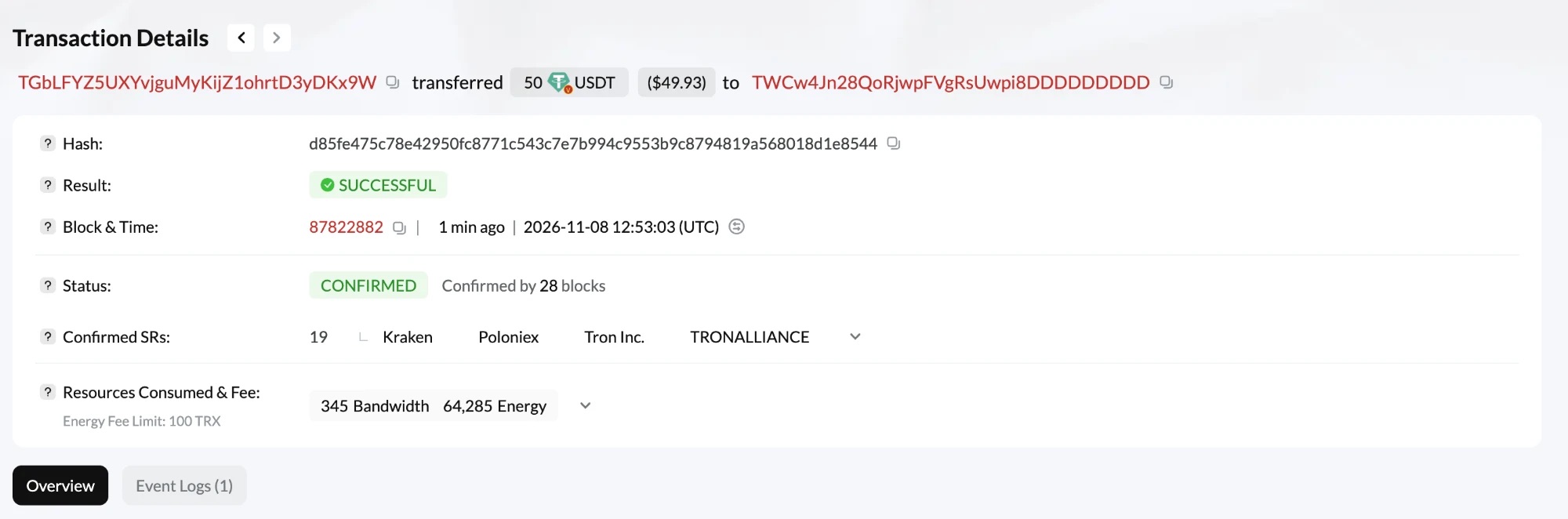
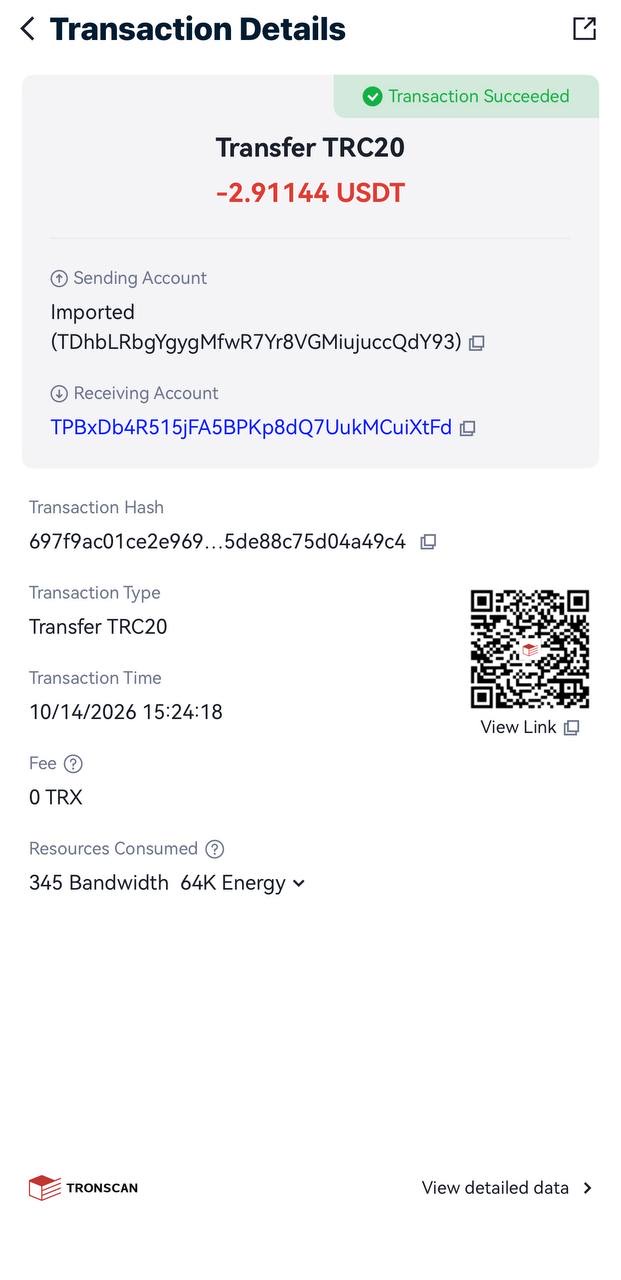
To open a tronscan transaction, paste its hash into the search box. Your wallet shows it in the transfer details, and an exchange shows it as TXID.
How to read the status
| Status | Meaning | What to do |
|---|---|---|
| Success / Confirmed | Done, the transfer is final | If the money is missing, check the address and network |
| Pending | Waiting for confirmation | Wait a minute |
| Failed: Out of Energy | Not enough energy or TRX | The USDT stayed with you, see out of energy |
| Failed: other | The contract refused | Check the details and the address |
How to see the energy and fee
Open the transaction and look at the Fee and Resources rows. You will see energy consumed, bandwidth consumed and TRX burned. Burned TRX above zero means there was not enough energy on the wallet. The numbers are explained in usdt trc20 fee.
Check and revoke token approvals (protect your USDT)
An approval lets a contract spend your tokens. Scam sites use them to drain wallets. On your address page, open the Approval tab (next to your token portfolio), review what you have granted and revoke anything you do not recognize. Revoking needs a wallet connection and a small transaction.
Check a token contract (real vs fake USDT)
Scammers create tokens called “USDT”. Open the token and compare the contract with the real one: TR7NHqjeKQxGTCi8q8ZY4pL8otSzgjLj6t. Our guide to the usdt contract address lists all networks.
Is Tronscan safe? Fake Tronscan sites and “connect wallet” scams
Is Tronscan safe? Yes, on the real site, and is tronscan legit is a fair question because fake copies exist. The real address is tronscan.org. Viewing data never needs a wallet connection or a seed phrase. A page that demands one is a scam. For a quick usdt lookup, you only need an address or a hash.
FAQ
Why don’t I see my USDT on Tronscan?
Check that you opened the right address and the TRC20 tab. If you sent on another network, TRON will not show it.
Can I withdraw money from Tronscan?
No. Tronscan does not hold money. Anyone who says you must pay or connect a wallet to withdraw from Tronscan is a scammer.
Is Tronscan a wallet?
No. Tronscan is a blockchain explorer. It shows data but does not hold your funds.
How do I check a transaction on Tronscan?
Copy the transaction hash (TXID) from your wallet or exchange, paste it into the Tronscan search box and open the result. Check the status, sender, recipient, amount and fee.
Is Tronscan safe?
Viewing data is safe and needs no login. Use the real tronscan.org address, and connect a wallet only when you mean to sign something.