"Not Enough TRX to Cover the Network Fee": How to Fix It
Published: · 4 min read
Short answer
Your USDT is not stuck. The wallet needs ~6.43 TRX (or ~13.03 TRX if the recipient has no USDT) to pay for the transfer, and you have less. Fastest fix: rent 65,000 energy for 3 TRX (or 131,000 for 6 TRX) — the fee drops to 0 and the transfer goes through. No TRX at all? Top up the Telegram bot with USDT and rent energy from that balance.
You are trying to send USDT and the wallet stops you: “not enough TRX to cover the network fee”, “not enough TRX to cover the sending fee”, or just “not enough TRX”. It sounds scary, but it is the most harmless error on TRON. Here is what it means and how to get your transfer through in about a minute.
What this error means
Every USDT transfer on TRON runs a smart contract, and smart contracts cost energy. When your address has no energy, the network pays for it by burning TRX from your balance. Before sending, your wallet estimates how much TRX would be burned. If your TRX balance is lower than that estimate, the wallet blocks the transfer and shows this error.
Different wallets word it differently (exact wording depends on the app version):
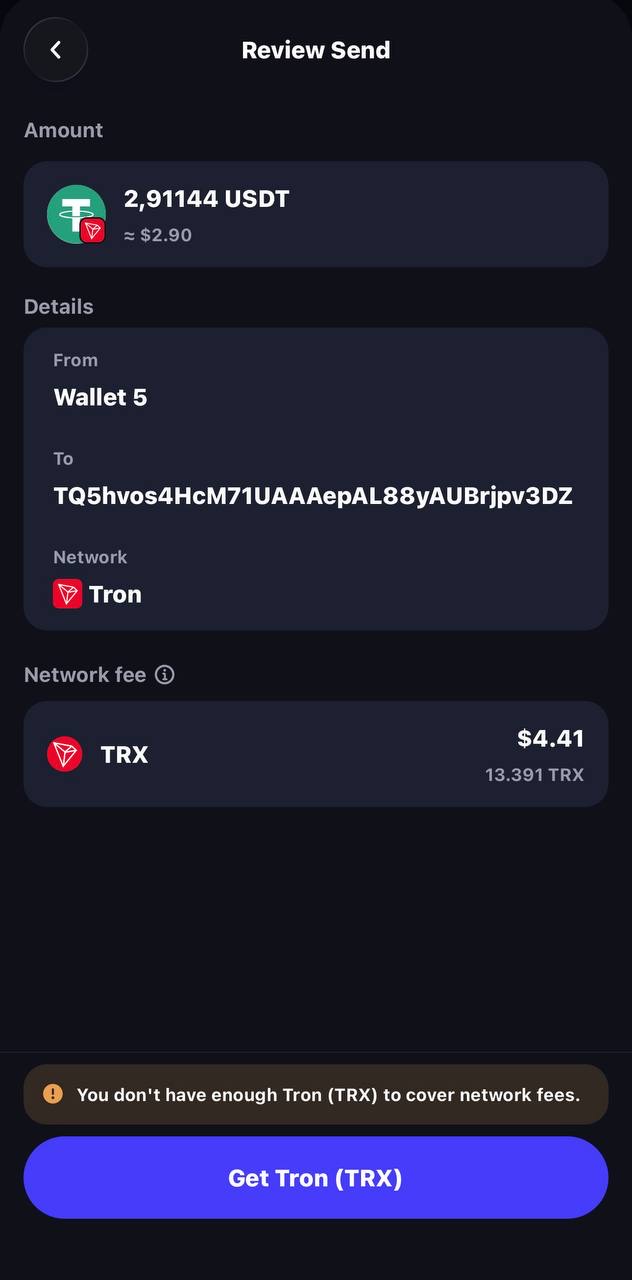
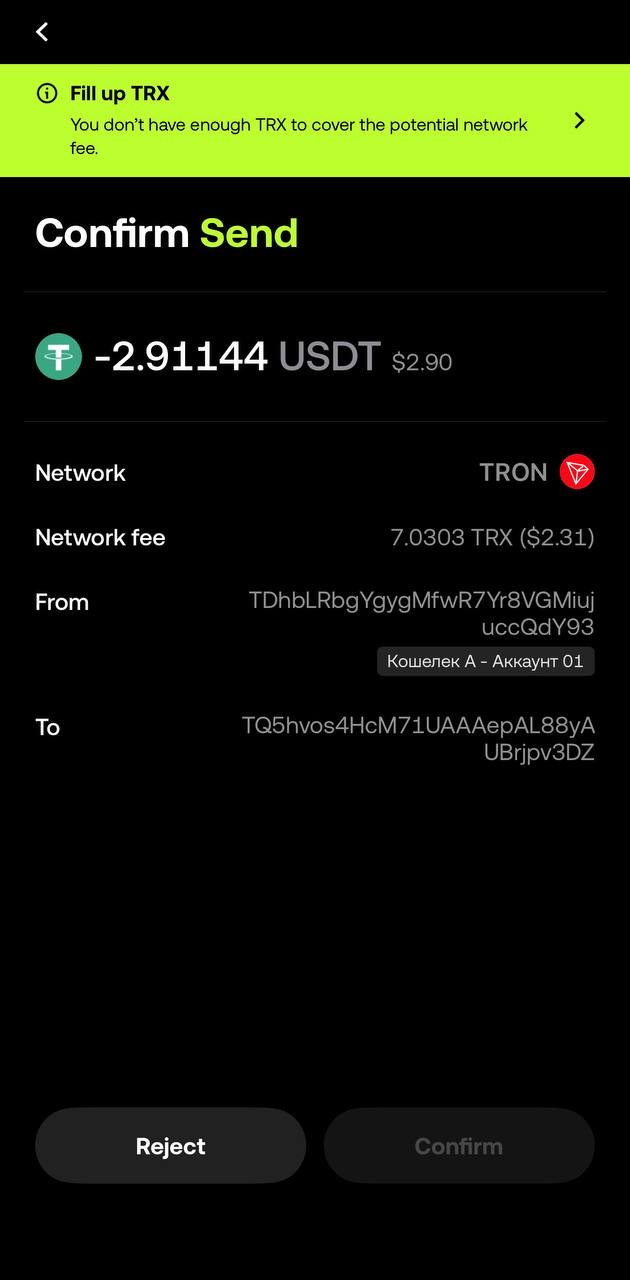
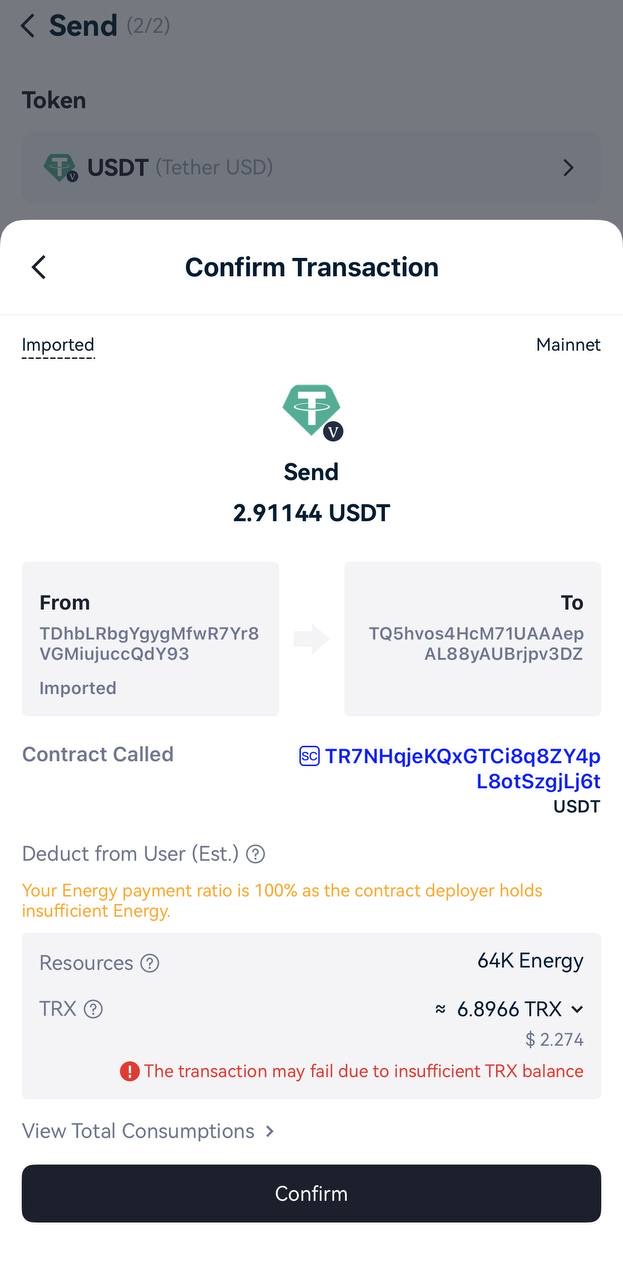
In all cases: nothing was sent, nothing was charged, and your USDT is safe.
How much TRX you actually need
It depends on the recipient:
| Recipient | Energy needed | TRX burned without energy |
|---|---|---|
| Already holds USDT | ~64,285 | ~6.43 TRX (≈ $2.14) |
| Has no USDT / new wallet | ~130,285 | ~13.03 TRX (≈ $4.34) |
Plus up to ~0.35 TRX for bandwidth if you already used your 600 free bandwidth today. So if you have, say, 5 TRX and the recipient is new, you are about 8 TRX short. Paste the recipient here to see which case applies:
Fix 1: rent energy (no TRX needed besides payment)
Instead of finding 6–13 TRX to burn, give the address the energy it needs:
- Copy your wallet’s TRON address (starts with “T”).
- If you have at least 3 TRX: send 3 TRX (recipient holds USDT) or 6 TRX (no USDT) to our energy address from that same wallet. Energy arrives in seconds.
- If you have less: open the Telegram bot, top up your balance with USDT (an exchange withdrawal works, so this needs no TRX on your side), add your address and tap “Buy energy”.
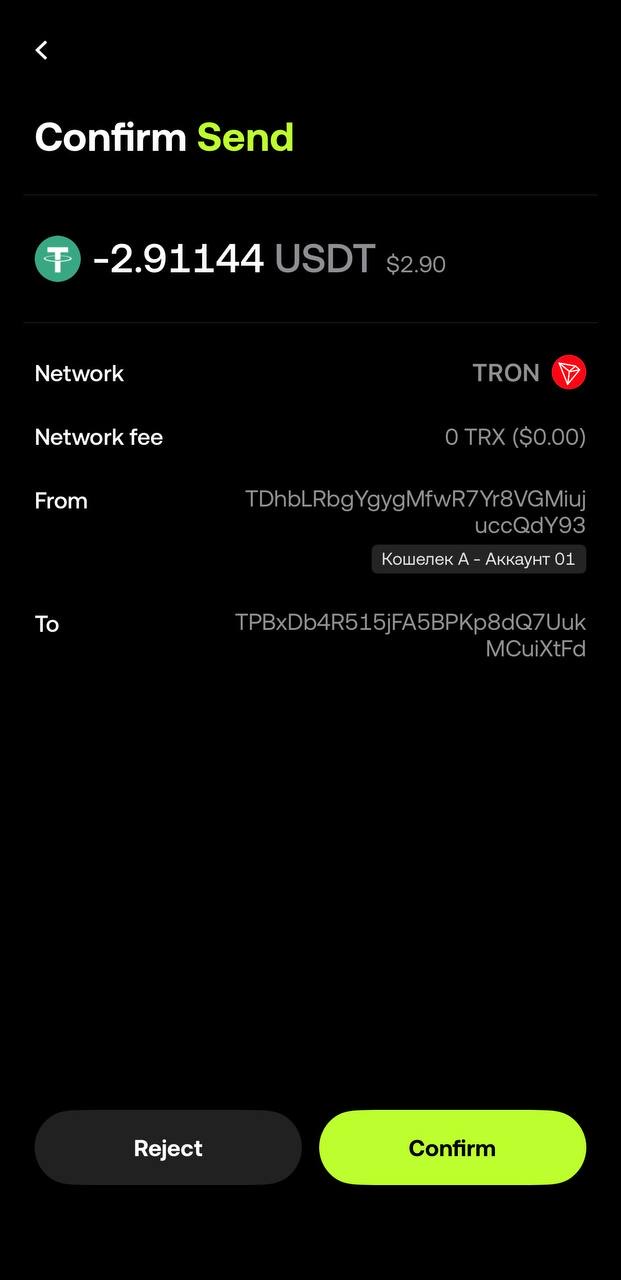
- Go back to your wallet and send the USDT again. The fee now shows 0 TRX.
This is the cheapest fix — you buy tron energy for less than half of what the network would burn, and nothing has to be bought, withdrawn or swapped first.
Fix 2: buy or exchange a little TRX
If you prefer to just top up TRX:
- Buy TRX in the wallet. Trust Wallet, TronLink and OKX Wallet have a Buy button that sells TRX for a card payment through third-party providers. Fast, but card fees and minimum amounts (often $20–30) apply.
- Withdraw TRX from an exchange. Buy TRX on the exchange and withdraw it. Withdrawal fee on October 8, 2026: 1 TRX on KuCoin, 1.5 TRX on Bitget and HTX.
- Swap USDT to TRX. Our service converts usdt to trx at a live rate — but sending USDT to it is itself a transfer, so this works when you have some TRX and want more for future transfers, not when you are stuck at zero.
- Ask someone. A friend can send you 15 TRX in seconds.
Fix in Trust Wallet, OKX Wallet, TronLink
Trust Wallet
- Tap TRON (TRX) → Receive and copy your address.
- Rent energy to it (Fix 1) or receive TRX (Fix 2).
- Return to USDT (TRC20) → Send. The “network fee” line should now be 0 TRX (with energy) or covered by your balance. Confirm. Details on what Trust Wallet charges: trust wallet usdt transfer fee.
OKX Wallet
- Switch the network to TRON and copy the TRX address.
- Rent energy or top up TRX. If the wallet shows “not enough trx for network fees okx”, the estimate is still above your balance — make sure the energy arrived on this address.
- Retry the transfer.
TronLink
- Copy your address from the main screen.
- Rent energy. Under Resources you will see the energy appear.
- Send → USDT. The confirmation shows “Energy: 65,000 used, Fee: 0 TRX”.
How to never see this error again
- Keep 10–15 TRX as a buffer if you send rarely — enough for one transfer to a new address.
- Rent energy before each transfer if you send regularly; it costs half of what the network burns.
- Check the recipient first. Transfers to new addresses cost double; the energy checker above tells you in a second.
- Don’t empty your TRX to the last cent. A transfer that runs out halfway fails with a different error and still burns TRX: the USDT stays in your wallet, but the TRX burned up to the failure is not refunded.
More ways to keep costs down: how to reduce trx fee. And if you want every option for sending with zero TRX — including gas-free wallets — read how to send usdt without trx.
FAQ
Why does my wallet need TRX if I send USDT?
Because TRON charges network fees in its own resources — energy and bandwidth — not in the token you send. If your address has no energy, the network burns TRX to pay for it. USDT itself cannot be used to pay the TRON network directly.
Can I pay the network fee in USDT?
Not to the network itself, but indirectly yes: you can pay an energy rental service in USDT (for example from a bot balance) or use a gas-free wallet that takes about 1.5 USDT per transfer and pays the TRX for you. Exchanges also take their withdrawal fee in USDT.
Is my USDT stuck?
No. The transfer was never sent, so nothing left your wallet. Your USDT stays exactly where it was and will move as soon as the address has enough energy or TRX.