Trust Wallet USDT Fee: Why It Is So High and How to Pay Less
Published: · 4 min read
Short answer
Trust Wallet does not add its own fee to transfers — you pay the blockchain’s network fee. For USDT TRC20 that is ~6.43 TRX (recipient holds USDT) or ~13.03 TRX (new recipient), because the transfer needs energy and your address has none. Rent energy to your Trust Wallet address before sending and the fee drops to 0 TRX, with the energy itself costing 3 or 6 TRX.
You open Trust Wallet, send 20 USDT on TRON and the network fee says 13 TRX. That is around ≈ $4.34 to move twenty dollars. Trust Wallet’s own help pages explain gas in general terms; Reddit threads argue about whether the app is overcharging. Here is the specific answer for USDT, network by network, and the exact steps to pay less.
How much Trust Wallet charges to send USDT (TRC20, ERC20, BEP20)
Trust Wallet supports USDT on several networks, and the fee depends entirely on which one you use. The trust wallet usdt fees below are the blockchain’s own costs, read live when you open this page:
| Network | To a USDT holder | To a new address |
|---|---|---|
| TRC20 (TRON), TRX burned | loading… | loading… |
| TRC20 (TRON), rented energy | loading… | loading… |
| TRC20 via GasFree | loading… | loading… |
| ERC20 (Ethereum) | loading… | loading… |
| BEP20 (BNB Smart Chain) | loading… | loading… |
| Arbitrum One | loading… | loading… |
| Solana (SPL) | loading… | loading… |
TRC20 rows exclude bandwidth (~0.35 TRX, free for the first transfer of the day). GasFree: Fixed fee in USDT, no TRX needed (official GasFree service; wallets may differ). Solana: Base fee is tiny; +0.002 SOL account rent if the recipient never held USDT. Gas and prices are loaded live from public RPC nodes and OKX when you open the page. Wallets may add their own margin. Static figures checked October 8, 2026.
So the trust wallet fee usdt trc20 transfers show is not set by Trust Wallet — it is TRON’s energy price. The same is true for the trust wallet usdt gas fee on Ethereum (paid in ETH) and BNB Chain (paid in BNB). Polygon USDT is also available in the app and, like BNB Chain, costs a fraction of a cent on-chain.
Why not always use the cheapest network? Because the recipient chooses. An exchange deposit address, a P2P seller or a merchant gives you an address on one network; sending on another network means the money does not arrive.
Why the TRX network fee is so high
TRON does not have “gas”. It has two resources:
- Bandwidth for the transaction size — 600 free points per address per day, a USDT transfer uses ~345.
- Energy for the smart-contract work — ~64,285 per USDT transfer to a holder, ~130,285 to a new address.
A fresh Trust Wallet address has no energy. So TRON burns TRX instead, at 0.0001 TRX per energy unit. That is why the trust wallet trx network fee shows 6.43 or 13.03 TRX for a USDT transfer, while a plain TRX transfer costs nothing (or ~0.27 TRX once the free bandwidth is used). The trust wallet trx fee for USDT is really an energy fee.
If the fee looks doubled, the recipient has no USDT yet. Check any address here:
The full breakdown of these numbers, including exchange withdrawals, is in our usdt trc20 fee guide.
Does Trust Wallet use energy?
Yes. Energy is a property of your TRON address, not of the app. Whenever your address has energy — staked by you or delegated by someone else — every transaction you sign in Trust Wallet uses it automatically, and the network fee drops accordingly. You do not need to switch anything on.
In 2026 Trust Wallet also started showing a built-in discount on some TRON transfers (“Saved … with Tronify”): the fee drops, but it is still well above the price of rented energy — on the screen below the same transfer still costs 9.13 TRX.
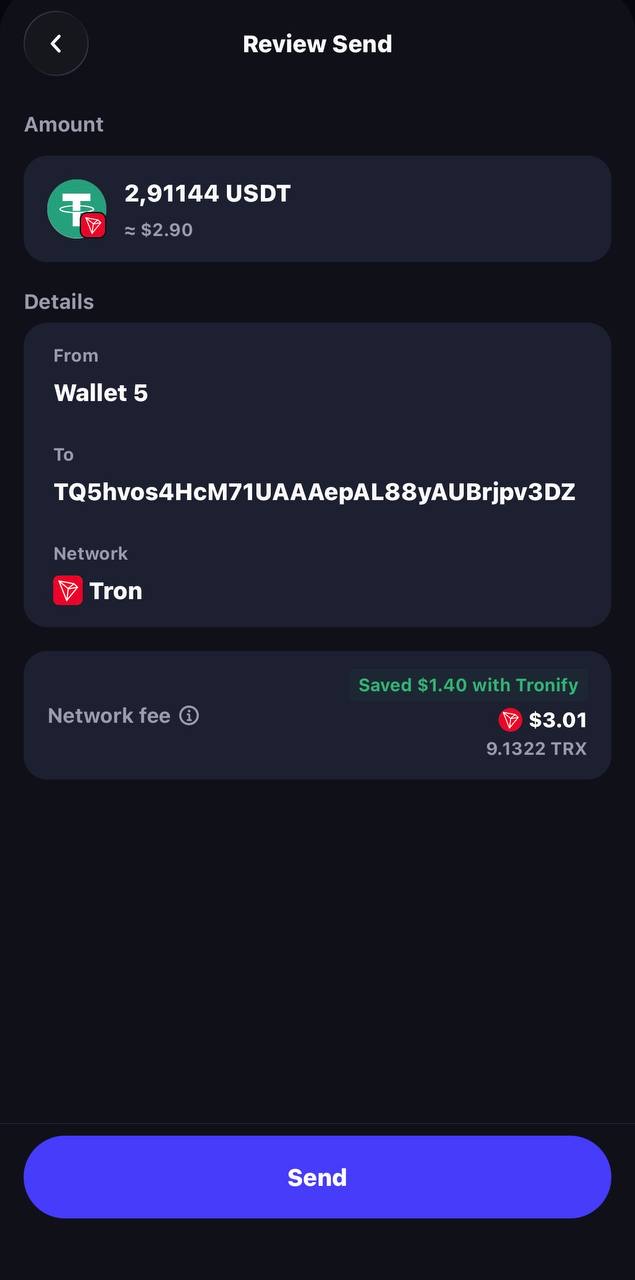
Two ways to get trust wallet trx energy:
- Stake TRX in the app. Trust Wallet supports TRX staking: TRX → Stake, choose Energy. Today each staked TRX gives about 9.6 energy per day, so one transfer per day needs ~6,700 TRX locked for at least 14 days.
- Rent energy. Someone delegates energy to your address for a short time; you pay 3 TRX for 65,000 energy or 6 TRX for 131,000. No capital locked.
How to pay less: rent energy to your Trust Wallet address
Renting is the simplest way to cut the trust wallet trc20 fee by about half:
| Without energy | With rented energy | |
|---|---|---|
| To a USDT holder | 6.43 TRX burned (≈ $2.14) | 3 TRX (≈ $1.00) |
| To a new address | 13.03 TRX burned (≈ $4.34) | 6 TRX (≈ $2.00) |
You never connect Trust Wallet to anything and never share your recovery phrase — the energy provider only needs your public TRON address. You can buy tron energy by sending 3 or 6 TRX from Trust Wallet to our energy address, or in our Telegram bot. The tron energy calculator shows exactly how much you save for your monthly volume.
Step-by-step with screenshots
The screens below are schematic illustrations of the Trust Wallet flow (labels can differ slightly between app versions).
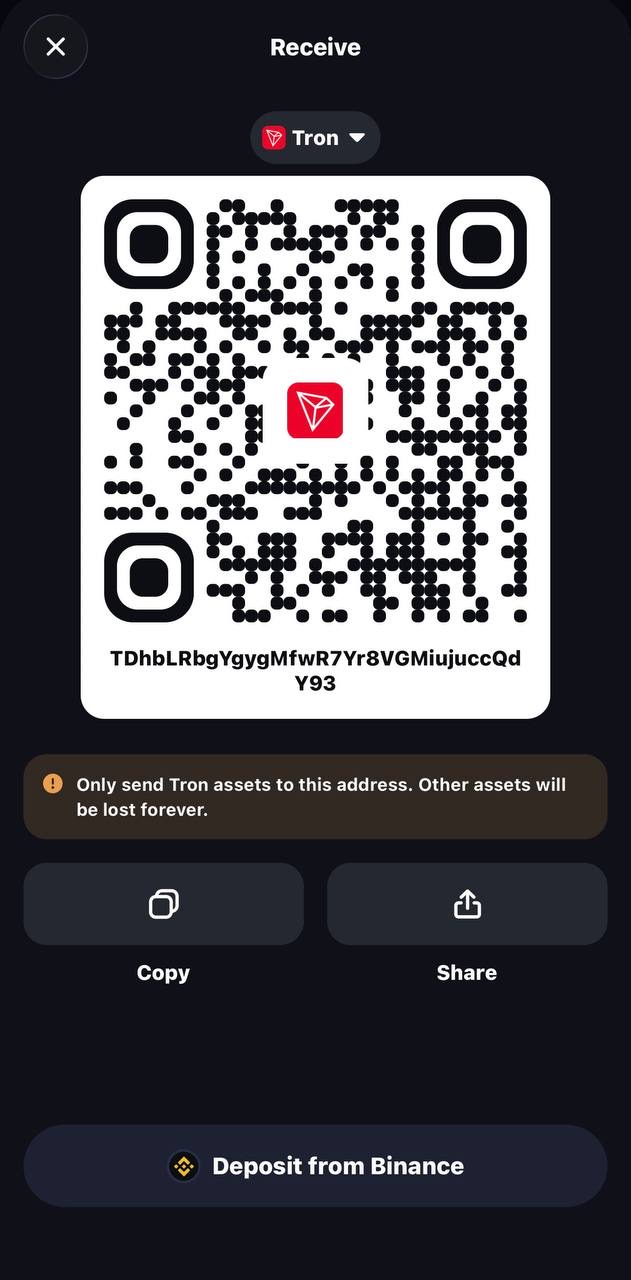
1. Copy your TRON address. Open Trust Wallet → tap TRON (TRX) → Receive → copy the address that starts with “T”.
2. Rent energy to that address. In the Telegram bot add the address and tap “Buy energy” — or send 3 TRX (6 TRX for a new recipient) from this wallet to our energy address. Energy arrives in a few seconds.
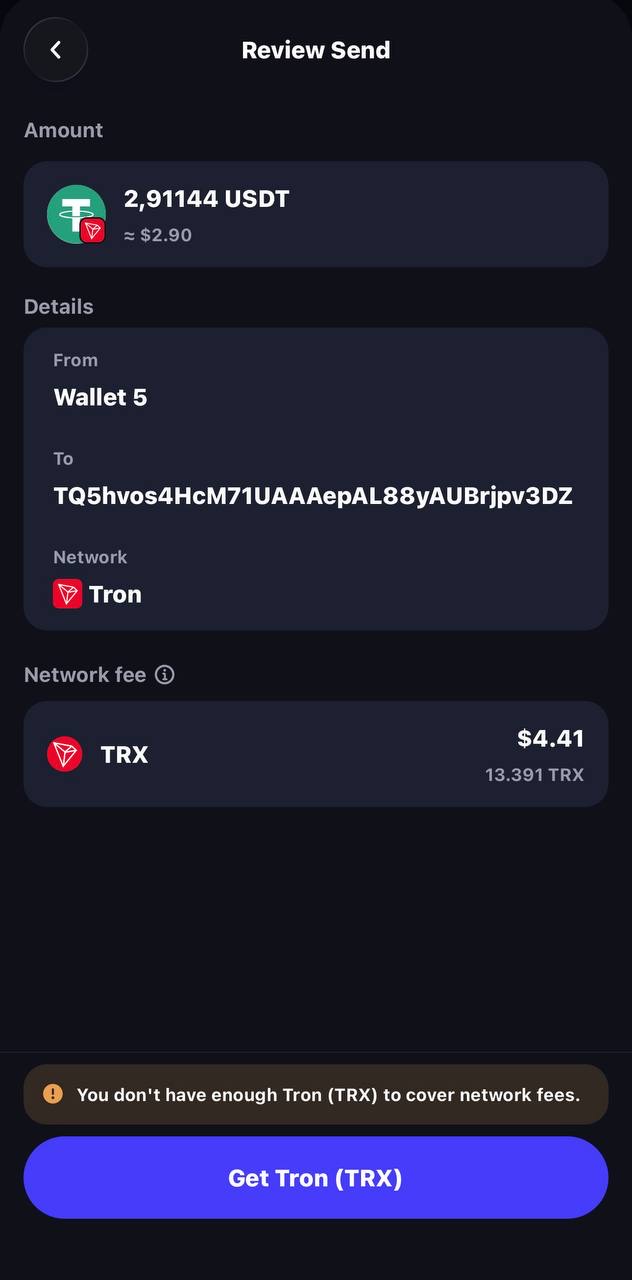
3. Send USDT as usual. Tap USDT (TRC20) → Send → paste the recipient and amount. Compare the confirmation screen before and after:
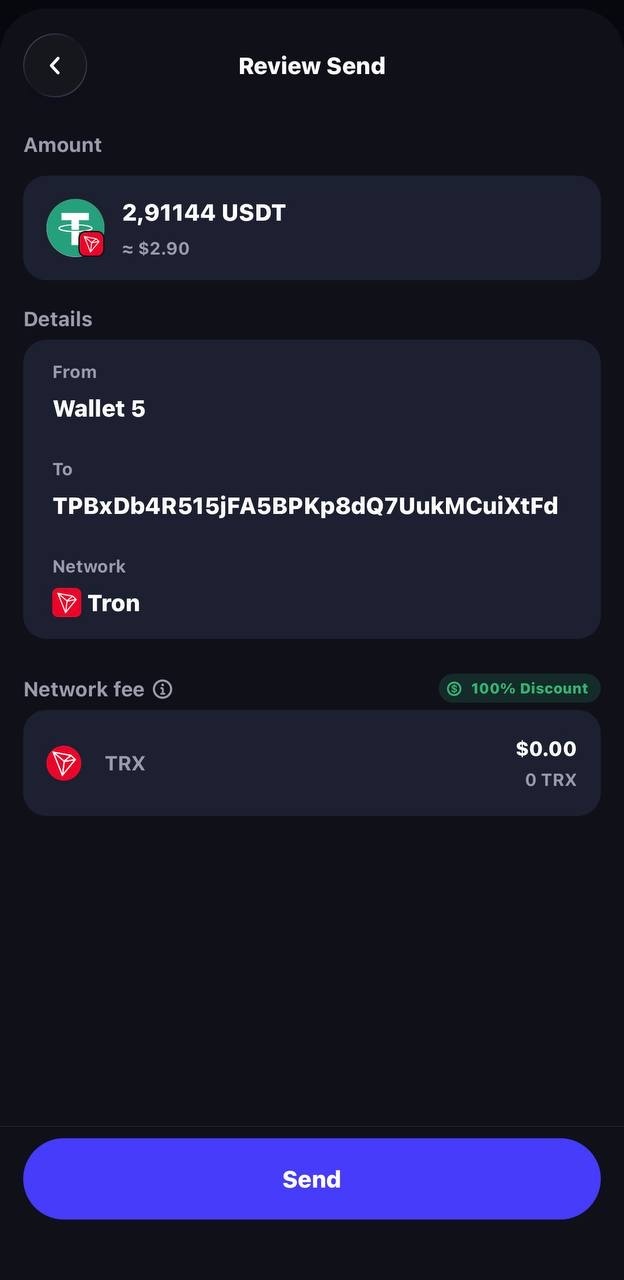
4. Confirm. The transfer goes through in seconds, and your TRX balance stays the same.
For more ways to save — staking, batching, choosing recipients — see how to reduce trx fee.
FAQ
Does Trust Wallet charge its own fee?
Not for sending. The “network fee” on the confirmation screen goes to the blockchain (burned TRX on TRON, gas on Ethereum or BNB Chain). Trust Wallet’s in-app swaps and card purchases are different: the quote includes the provider’s and the app’s margin, shown before you confirm.
Why does Trust Wallet ask for TRX?
Because on TRON the network fee is paid in TRX or energy, never in the token you send. When your address has no energy, sending USDT burns about 6.43–13.03 TRX, so Trust Wallet asks you to hold that much TRX. Rented or staked energy removes that requirement.
Which network is cheapest in Trust Wallet?
On pure network cost in autumn 2026, BNB Smart Chain (BEP20) is cheapest at well under a cent, Ethereum costs roughly $0.30–0.50 on quiet days, and TRON costs ~$2 without energy or ~$1 with rented energy. But the recipient decides the network — send USDT on the network they asked for, or it will not arrive.